The dream
So here’s where this whole thing ends up.
You finally have the capacity to rewrite one of your side projects that you’ve been putting off for too long. In Kotlin. You’ve never written a line of Kotlin in your life. Like, at all. But the spec you wrote is so clean that the AI produces better, more stable code than the original Flutter app you built by hand. And it just works.
You’re shipping 1 PR per day instead of 1 every 3 days. Not because you type faster. Because you barely type at all anymore.
It sounds genuinely unhinged when you say it out loud. “Yeah I just mass-manage AI coding sessions and review diffs all day.” That’s a crazy person sentence. But it’s also just… Tuesday now.
Yeah I know. I didn’t believe it either. I was exactly where you are right now — mass-dismissing this whole thing. Let me tell you how I got here.
The confession
I am the kind of developer who uses Helix unironically, types on a split keyboard with a layout nobody has heard of, and mass-stars obscure GitHub repos at 2am so I can casually drop them in code reviews. You know the type. You might be the type.
All of this resulted in me being very sceptical of “AI assisted programming” when I first heard about it. I thought “the models are too dumb”, “anyone using Cursor is out of their mind”. AI was basically Clippy with a marketing budget.
Yet here I am, less than a year later. I went from “omg claude fixed my linter warnings” to “oh yea I manage 4-5 claude sessions across 3 projects and check in from my phone on walks”.
Keep in mind — I work in Rust only. Blockchain infrastructure, distributed systems, 300k loc codebases, and HFT trading as a hobby. No frontend. Your mileage may vary.
Also, what I’m advocating for now may be deprecated in 2 weeks when a new model drops. That’s just how it is.
The mindset shift
If you take one thing from this entire series, let it be this:
You are not a typist anymore. You are a reviewer and an architect.
80% of your time should be spent reading markdowns. If you are writing code manually then you are not claudemaxxing. My editor is either in git diff mode or reading a markdown. Claude is always working — planning, writing code via subagents, whatever. I almost never do dev work without a plan first.
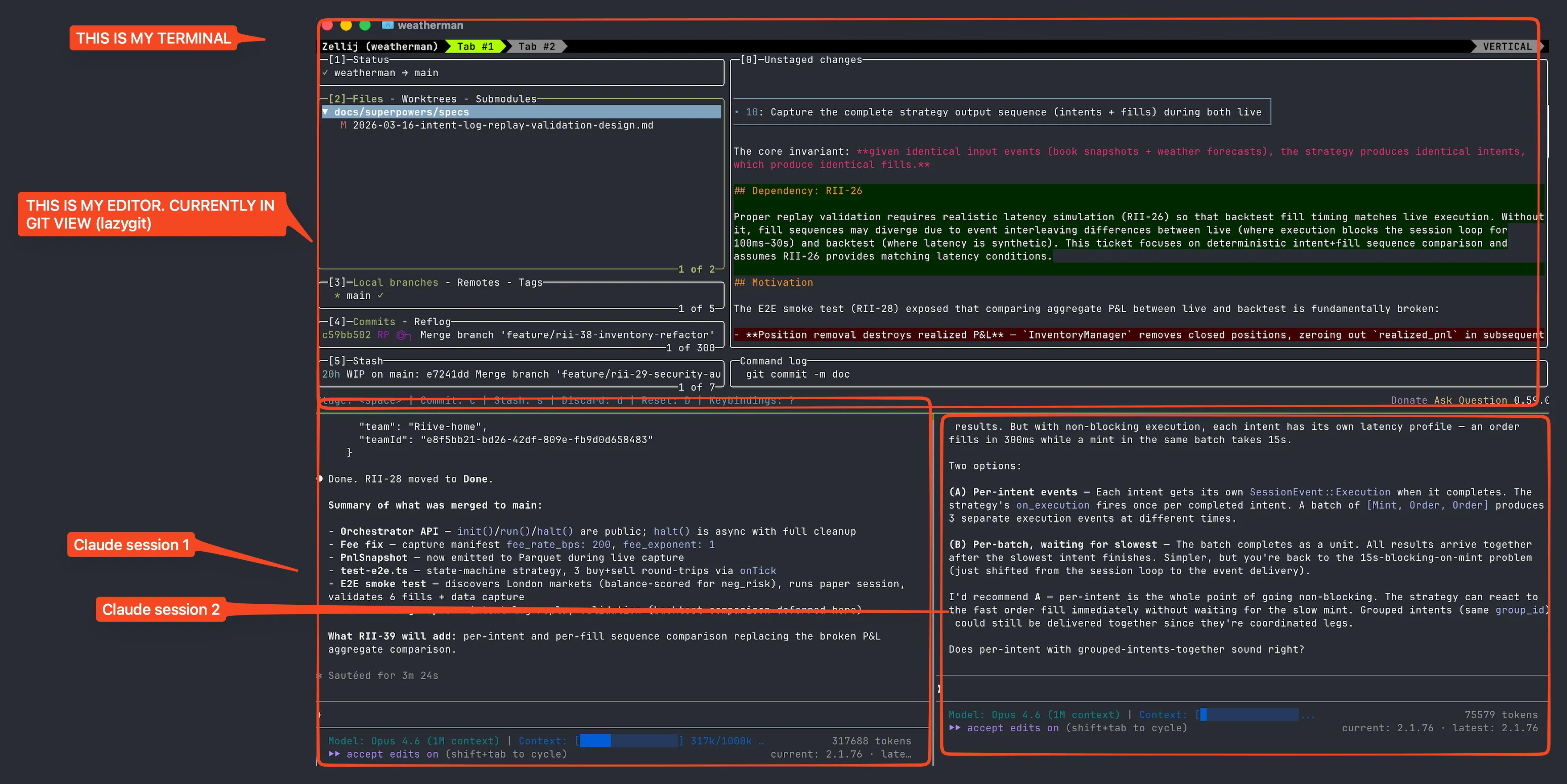
I know this is counterintuitive for people who spent years getting fast at typing. But your value is no longer in how fast you can type a for loop. It’s in knowing what needs to be built and being able to tell if the output is correct.
Your first win: the linter loop
Alright so where do you actually start? Here’s the pattern that converted me from skeptic to believer. It’s embarrassingly simple.
The technique
Give Claude a loop: “run cargo clippy (or eslint, or whatever your linter is) and fix the warnings”.
That’s it. That’s the whole prompt.
It works because linter output tells the model exactly what’s wrong, exactly where, and often exactly how to fix it. You don’t need to be a prompt wizard — the tool output IS the prompt.
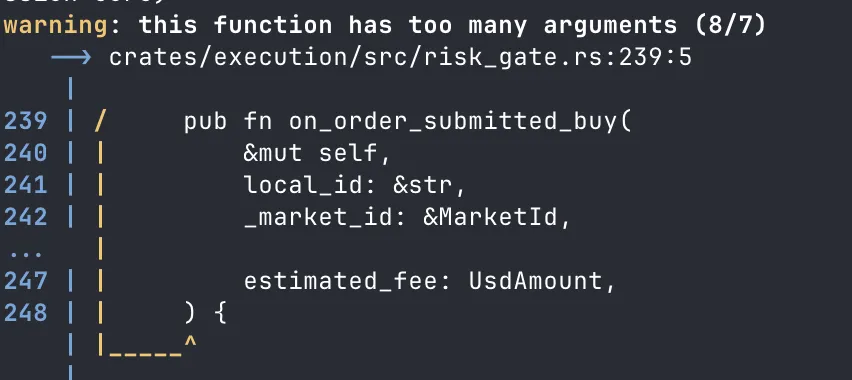
Here’s what the loop actually looks like in practice — watch the warning count:
War story: the clippy moment
My AI usage up to this point — copy code into ChatGPT, ask “how can you improve this”, be disappointed, close tab. Rinse and repeat.
After ignoring the hype for a long time I decided to try Cursor. 2 week free trial, threw it at our 300k loc Rust codebase. Couldn’t let it write any production code — context window too small, my prompting skills too bad.
But I could give it “run cargo clippy and fix the warnings”.
Our repo had hundreds of clippy warnings (we were speedrunning a large project, don’t judge). Clippy had been left to rot. AI just churned through them like a boss. Saved me 6+ hours of manual work.
That was my conversion moment. Not some flashy demo. A linter loop.
The embrace
After that I started using it for everything. Colleague drops a 6k loc PR? Agent reviews it, produces a markdown explaining how its wired up. Weird bug from a third party library? Agent digs through the source code. AI started freeing up my day to day in a way where I could finally care about architecture instead of getting stuck in implementation details all the time.
The greenfield trap
Now let me tell you what NOT to do.
War story: the tennis probability engine
Around the same time as the clippy win, I also tried the opposite approach. I wanted to build a tennis game probability engine in Rust — greenfield, blank project.
How did I do it? I created a PRD document, an outline of what I wanted, steps that should be taken to get there (generated using AI ofc, looked fine at first glance).
I was euphoric when I saw AI writing Rust code, writing test cases — it knew the language, it seemed magical.
The end result? Unusable slop, copy-pasted functions, duplicate logic. Essentially the technology was not there yet to achieve what I wanted.
I was so excited that I couldn’t fall asleep even tho the code was unusable AI slop. But I saw the writing on the wall — money was flowing into AI companies, and every 2 weeks a new LLM model would drop that was better than the previous ones.
The lesson: vague PRD + blank project + zero guardrails = impressive-looking garbage. The model will happily generate 2000 lines of plausible slop that makes you feel like a genius until you actually try to run it.
So what should you do? First, understand the tools (Part 2). Then, learn the pipeline — specs before code (Part 3).
The pricing journey
Alright, let’s talk money. “How much does this shit cost?”
Start at the $20 plan. Seriously. You’ll burn through tokens doing dumb things while learning (we all did) and it’s better to burn cheap tokens.
Here’s my upgrade path:
- Claude Pro ($20/mo) — good for linter loops, basic code review. You will outgrow the size limits of this model in 2 weeks after using it.
- Claude Max ($100/mo) — this is where it gets real. 1M token context window (back in my day I got 200k and thought it was a bargain 👴). You can load entire codebases, run multi-step research, do actual work.
- Claude Max $200/mo — the “I’m not going back” tier. More usage, same 1M context. I now run two of these — one work, one personal. Come close to maxxing out both weekly.
What about the others?
Gemini. I have access to it but honestly haven’t pushed it to its limits, so no comments.
ChatGPT ($20/mo). I pay for this specifically for Codex — OpenAI’s coding model. Not my daily driver, but useful for cross-model validation. Claude writes a design, I want a second opinion, route it through Codex via a custom command. Worth the $20.
You’ll know when to upgrade — you’ll be mid-task, the session will throttle, and you’ll immediately reach for the upgrade button.

Thinking levels
Quick concept that trips people up: “thinking” just means asking the model to voice its reasoning steps out loud before answering. Like how you’d solve a hard problem on a whiteboard — you don’t jump to the answer, you talk through it. Turns out, making the model do this just coincidentally produces better results.
Claude Code has thinking levels you can configure — from no thinking (fast, cheap, dumb) to extended thinking (slow, expensive, smart). Higher thinking burns more tokens but catches more edge cases, writes better plans, and makes fewer mistakes. For quick tasks like renaming a variable, you don’t need it. For designing a system or debugging a gnarly race condition, crank it up.
Where it gets interesting: tools like Codex have pushed this further with multiple parallel reasoning chains. Instead of one chain of thought, the model spins up several, explores different approaches simultaneously, and picks the best one. It’s why Codex is exceptionally good at hard problems — it’s not just thinking harder, it’s thinking wider.
Setting up your environment
Now let’s set up the environment. One principle: parallelism.
Parallel sessions
You will often find yourself waiting for LLM output. That is time wasted. Run multiple sessions, each on a different task.
I’ve gone through the whole evolution — wezterm with custom scripts, tmux, zellij, now cmux. Each one was fine. Use whatever you’re comfortable with — tmux, multiple VSCode instances, whatever. The tool doesn’t matter. The parallelism does.
I use cmux — it’s designed specifically for managing multiple Claude sessions.
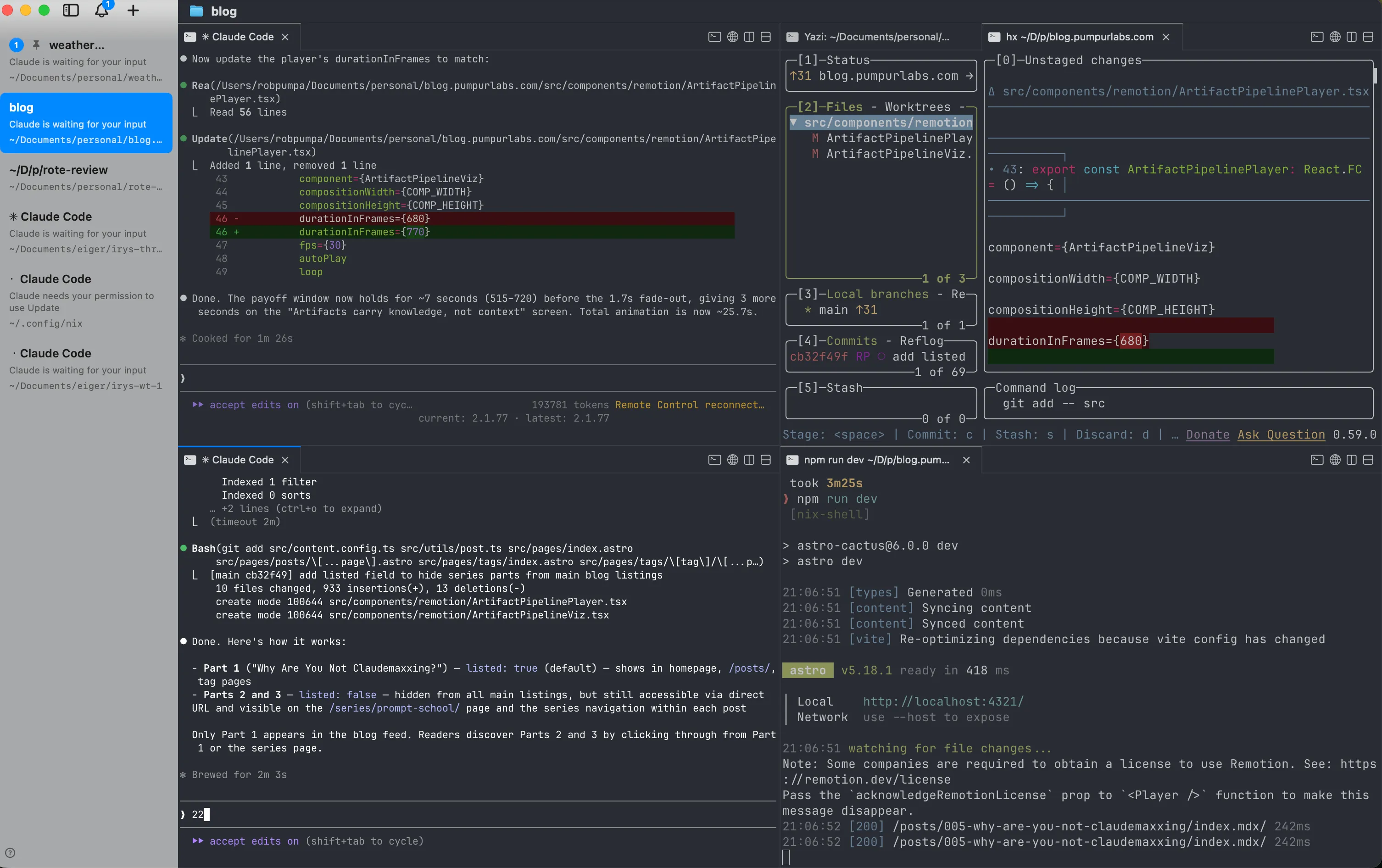
3 sessions, 3 tasks, cycle between them. One agent is thinking? You’re reviewing another’s output. Zero idle time.
Unless the AI overlords decide you’ve been inside too long and force you to touch grass.

The .claude folder
Before we get into worktrees — the .claude folder. You’ll see me reference this a lot so here’s the quick version.
There are two levels:
~/.claude/— your global config. Settings, hooks, preferences. Applies everywhere..claude/in your project root — project-specific stuff. This is where your commands, skills, and agents live. Basically reusable prompts and workflows that any team member (or agent) can use.
I go deep on what all of these are, how they work, and how to set them up properly in Part 2. For now just know the folder exists and that you’ll be spending a lot of time in it.
Git worktrees
Git worktrees let you have the main repo for planning and smaller sub-repos where agents work. Merge back when code is ready. Claude Code has built-in worktree support — agents can be spawned in isolated worktrees out of the box.
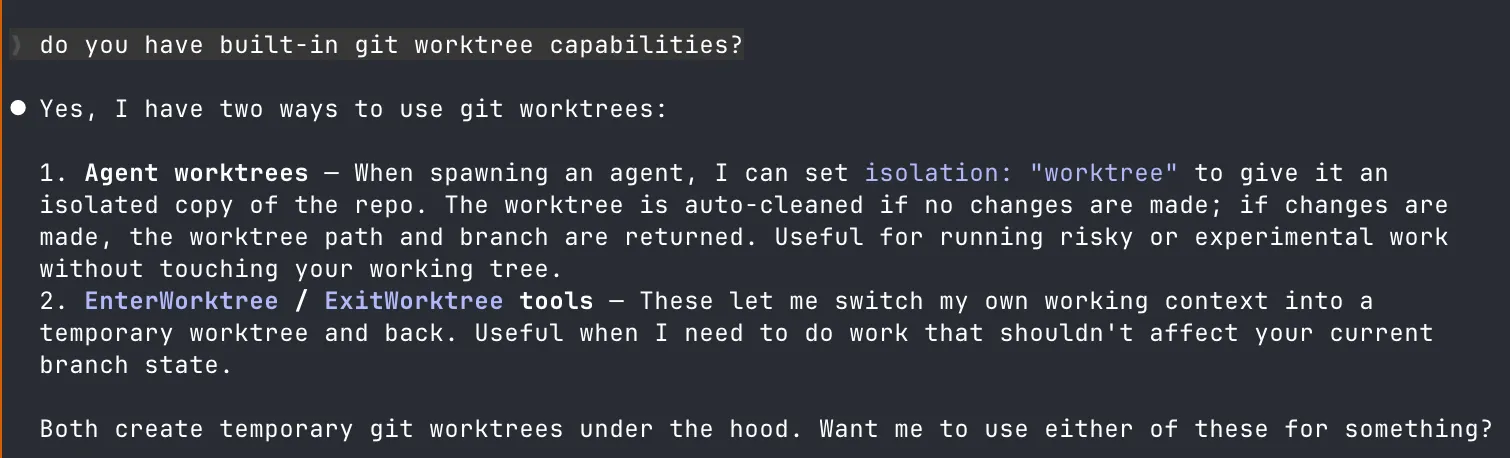
Worktrees vs branches -- why worktrees?
Regular branches require you to stash/commit before switching. Worktrees give you separate working directories for each branch:
- Your main worktree stays clean for planning and review
- Each agent gets its own worktree to work in without conflicts
- You can run builds/tests in one worktree while an agent works in another
- No accidental cross-contamination between features
Think of worktrees as cheap, disposable workspaces. The agent messes up? Delete the worktree, who cares. The feature is done? Merge and delete.
The journey in numbers
- 2023 — early 2025: Copy-paste into ChatGPT, be disappointed, close tab
- April 2025: Cursor trial — greenfield slop, brownfield clippy win (6hrs saved)
- Mid 2025: AI reviewing PRs, researching codebases, explaining third-party libraries
- Nov-Dec 2025: Haven’t written code by hand for days
- March 2026: Managing 4-5 Claude sessions across 3 projects, checking in from mobile on walks